Zamówienia są zwykle dostarczane do Polski w ciągu 3 dni, zależnie od lokalizacji.
Bezpłatna dostawa do Polski w przypadku zamówień od 200 zł wzwyż. Koszt dostawy zamówień o wartości poniżej 200 zł wynosi 80 zł.
Wysyłki przedpłacone realizowane przez UPS lub FedEx: DDP (taksy i cła opłacone przez DigiKey).
Wysyłki przedpłacone realizowane przez DHL: CPT (taksy, cła oraz VAT należne w momencie dostawy).
Konto kredytowe dla kwalifikujących się instytucji i firm
Płatność z góry przelewem elektronicznym
![]()
![]()
![]()
![]()


Więcej produktów od w pełni autoryzowanych partnerów
Średni czas wysyłki 1-3 dni. Mogą obowiązywać dodatkowe opłaty transportowe. Rzeczywisty termin wysyłki można sprawdzić na stronie produktu, w koszyku i podczas finalizacji zamówienia.
Warunki Incoterms: CPT (opłaty celne, cła oraz VAT należne w momencie dostawy)
Więcej informacji można znaleźć w części Pomoc i wsparcie
If you want to learn to code, learning to write games is a great way to get started, and our new hand held gamer has everything you need right now and it also has the connectivity for everything you might need tomorrow.
For the budding Roboteer, learning how to add and control actuators is a key skill. In this guide, we are going to take a look at our servo driven Klaw actuator,* and show you how to control it via code.
Our Air Freshener Kit is one of the most featured kits in our Student Gallery, and for good reason! It requires a good amount of design thinking, but the enclosure itself can be quite abstract or take on a great number of forms.
In this tutorial we’ll demonstrate how a Raspberry Pi Pico can be used along with some simple electronic components and Python code to record the voltage of a AA battery.
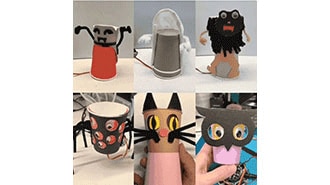
This guide shows how program these crafty monsters with both Microsoft MakeCode - a block-based programming system that's easy for anyone to use, and CircuitPython, a Python-based language that is the perfect introduction to higher-level programming.
We recently launched the Kitronik Simple Servo Control Board for BBC micro:bit, and Emma wasted no time in putting together three great resources for it. We've included all three resources below, with all of the files needed and step by step instructions for each.
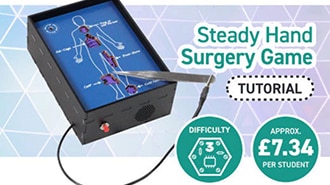
This make is a good example of using a kit which looks like it has only one particular purpose in an entirely new way. What was designed as a Steady Hand Game, in which a loop is passed around a wire maze, is here being used as the circuitry for a surgery-themed game instead!
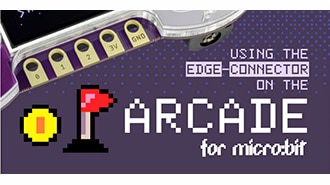
Full micro:bit edge connector support has now been added to the MakeCode Arcade editor. To highlight this, Jake from our Dev team has put together a code example to demonstrate the functionality of the micro:bit IO under Makecode Arcade.
This make by Kev, our in-house illustrator/designer, is great for the classroom. It combines electronics and design, and the result will look good on a desk, a shelf, or in a workshop.
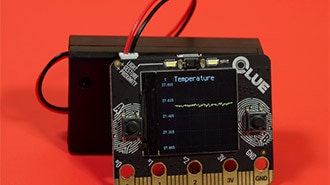
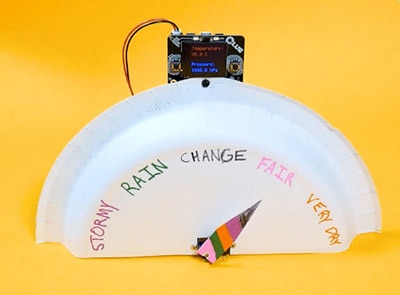
The CLUE has tons of onboard sensors that can sense movement, light, sound, and environmental measures like temperature and humidity. This project uploads code to the CLUE using PyLeap that uses the CLUE's onboard display to plot all of the sensors' data.
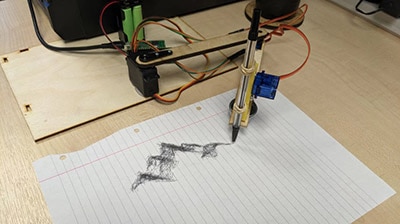
In this blog we are going to cover how to improve on our Cardboard Pico Drawing Robot Arm.
Wspólne przeglądanie
By using the Co-Browse feature, you are agreeing to allow a support representative from DigiKey to view your browser remotely. When the Co-Browse window opens, give the session ID that is located in the toolbar to the representative.
DigiKey respects your right to privacy. For more information please see our Privacy Notice and Cookie Notice.
Tak, przejdź do wspólnego przeglądaniaDziękujemy!
Sprawdzaj swoją skrzynkę pocztową. Znajdziesz tam wiadomości i aktualizacje związane z firmą DigiKey!
Wprowadź adres e-mail.
Zaznacz pole wyboru